When to Leave Excel Behind: Signs Your Business Needs Something Else
The signs your business has outgrown the spreadsheet, the three steps before commissioning custom software, and how to switch without breaking anything.
Search for "Excel alternatives" and you'll find twenty listicles with the same ten tools. Nearly all of them are written by someone who sells one of those tools.
This article is about something else. Before choosing a tool there's a prior question almost nobody asks: is the problem Excel, or how you're using it? Because switching systems when the real problem was the process just leaves you with the same mess in a nicer interface, and paying a monthly fee for it.
Here are the real signs your business has outgrown the spreadsheet, the three steps worth climbing in order, and how to make the switch without breaking anything along the way.
Table of contents
- Excel isn't the problem
- The signs it fell short
- What staying actually costs
- The three steps before custom software
- When a custom tool genuinely makes sense
- How to switch without breaking anything
- Frequently asked questions
- Conclusion
Excel isn't the problem
There's a widely repeated idea that's simply false: that using spreadsheets in a business is a sign of amateurism. It isn't. Excel is one of the best tools ever built for what it was designed to do — calculate, analyse, prototype fast — and there are large companies using it daily without any trouble.
Excel is still the right choice when:
- One person touches the file, or at most two who don't overlap in time.
- The data gets read more than it gets changed.
- The volume is manageable and isn't growing fast.
- You use it to analyse, not to run the day-to-day of the business.
If that's where you are, switching tools means spending money and time solving a problem you don't have. And the cost isn't only financial: migrating carries a learning cost for the whole team that has to be justified.
What does happen is that businesses grow, and the usage changes without anyone deciding it. The sheet that started out tracking four accounts ends up being where customer information, appointments, payments and inventory all live. That shift happens gradually, which is why it usually goes unnoticed until it already hurts.
The signs it fell short
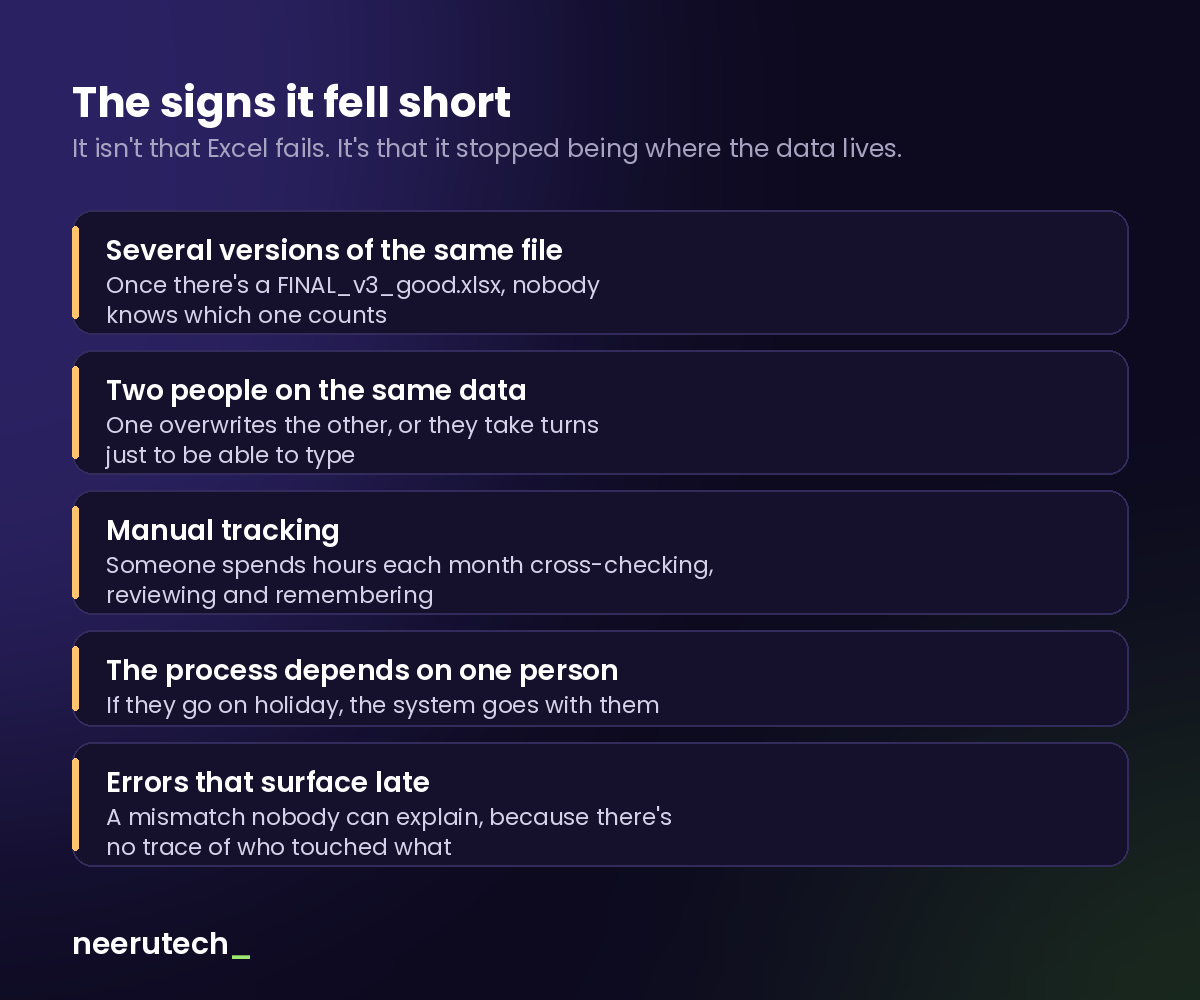
These are the signs that genuinely indicate the sheet has run out of road. They don't all have to apply: two or three is enough reason to sit down and think.
There are several versions of the same file. If your folder contains customers_FINAL.xlsx, customers_FINAL_v2.xlsx and customers_FINAL_good.xlsx, the problem is no longer tidiness. It's that there is no single source of truth, and each person is working from a different snapshot of reality.
Two people need to write at once. Even if the file is in the cloud and allows simultaneous editing, when several people modify structures and formulas they end up stepping on each other. The classic symptom is the "hang on, let me close it" message.
Somebody does manual tracking. If every month a person is cross-checking columns, reviewing what's outstanding and sending reminders by hand, you're paying working hours for something a system does on its own. It's the same pattern we see when reconciling online payments with accounting, where manual work doesn't scale.
The process depends on one person. If only one person knows how the sheet works — where the formulas are, what each column means, what gets updated and when — that person isn't a resource: they're a single point of failure. When they go on holiday, the system goes with them.
Errors show up late and unexplained. A mismatch nobody can trace, a value that was there and isn't anymore, a formula somebody dragged too far. A spreadsheet keeps no record of who changed what or when, so tracking down the origin is impossible. That isn't a flaw in Excel: it simply wasn't designed for that.
None of these problems is fixed by more discipline. If someone tells you it's just a matter of "being more careful", that person has never managed a shared file for two years.
What staying actually costs
The reason these situations drag on for so long is that the cost never arrives as an invoice. Nobody charges you for staying in Excel, so it looks free. But it gets paid in four places:
People's hours. The ones spent cross-checking, reviewing, correcting and remembering. Those are hours from someone you already pay a salary to, doing work that adds nothing for the end customer.
Errors that reach the customer. A duplicated appointment, a payment never chased, an order that was never recorded. Each one costs money or credibility, and both are expensive.
Decisions made on stale data. If the report takes three days to prepare, you're deciding with a three-day-old picture. In a small business, that gap matters more than it seems.
The risk of losing everything. A file on one computer is a file that can disappear. And a file holding customers' personal data on an uncontrolled machine is also a data protection problem.
None of those four shows up in the books as a line item. That's why the change gets postponed so long: until the pain is obvious, the spreadsheet looks like the cheap option.
The three steps before custom software
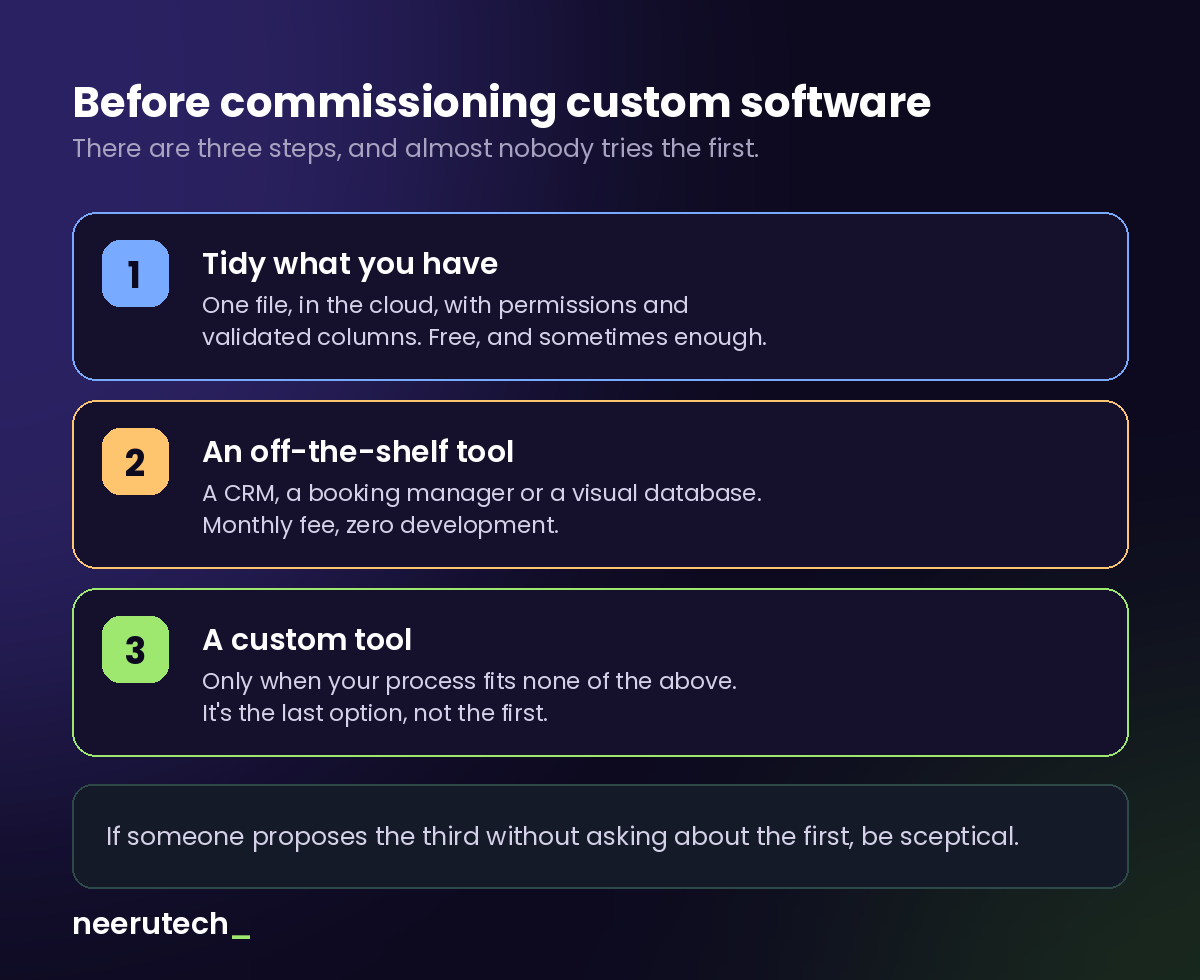
Here's the part no agency will tell you, because it works against their own interest: most businesses that think they need custom software don't. They need to climb one of the two earlier steps.
Step 1: tidy what you already have
Before changing tools, try using the one you have properly. A single file in the cloud instead of copies sent by email. Per-person permissions, so not everyone can alter the structure. Column validation, so "amount" only accepts numbers and "status" only the expected values. Version history switched on.
This is free, takes an afternoon, and resolves a surprising share of cases. If your problem is that there are five versions of the file, switching tools doesn't fix it: what fixes it is having only one.
Step 2: an off-the-shelf tool
If the previous step isn't enough, the next move isn't commissioning development: it's checking whether someone already solved your problem. A CRM if what you manage is customers and opportunities. A booking manager if what you manage is a calendar. A visual database if what you need is a spreadsheet with superpowers.
The upside is considerable: a known monthly fee, zero development, running next week, and someone else handling maintenance. The downside is that you adapt to the tool.
There's a middle ground many people never consider: keeping your current tools and connecting them to each other. If the problem is copying data from one place to another, it often gets solved by automating that transfer rather than replacing anything. We cover it in n8n for beginners.
Step 3: a custom tool
Only when none of the above fits. And it fits less often than people think, but also more often than SaaS vendors will admit.
If someone proposes step 3 straight away without asking about step 1, be sceptical. It's the same red flag as a web agency recommending the same thing to everyone: they're not choosing for you, they're selling what they know how to build.
When a custom tool genuinely makes sense
That said, there are cases where off-the-shelf software really does fall short. These are they:
Your process doesn't look like anyone else's. Sectors with rules of their own — a particular way of calculating prices, a specific approval flow, a regulation that applies only to you — end up fighting tools designed for the general case. The symptom is that you're paying for a product and using 20% of it, while what you actually need is handled separately in... a spreadsheet.
You need to connect several systems that don't talk to each other. When the problem isn't one tool but four that don't communicate, sometimes what's needed is the piece that joins them.
You're chaining tools to simulate one. If you're running three separate subscriptions plus automations to make them look like a single system, the accumulated monthly cost and the fragility of the setup already justify considering something bespoke.
The product is the business. A different case: if what you want isn't to solve your own operations but to sell the software to others, that's building a product, and we cover it in micro-SaaS: what it is and how to start.
A custom tool doesn't have to be a huge project. It can be a simple application that does three things well. In fact, when someone asks us for custom development, the first job is trimming the scope down to the minimum that solves the real problem. On when it pays off, we go into detail in when a custom website or tool is worth it.
This applies to businesses of all kinds — fitness studios, clinics, accounting firms, workshops — though each sector has its own particulars.
How to switch without breaking anything
If you decide to take the step, the biggest risk isn't picking the wrong tool: it's the migration. These five rules avoid most disasters.
Clean up before migrating. Duplicates, half-finished records and test rows don't improve by changing systems. They just make the new place messy. Spend time cleaning while the data is still where you know it.
Migrate in blocks, not all at once. Customers first. When that works, appointments. Then payments. If something goes wrong, you know exactly where.
Run both in parallel for a week or two. Yes, it's double work, and it's uncomfortable. It's also the only thing that guarantees the new system does what you assumed before it becomes the only one you have.
Keep the original sheet. Don't delete it on switchover day. Store it somewhere as a historical reference. You'll need it more often than you expect.
Train the team before, not after. The most common reason a new tool fails isn't technical: it's that people carry on using the sheet because nobody showed them the alternative and the deadline was tight.
Frequently asked questions
How many records can Excel handle? Far more than your business has. The limit is never the number of rows: it's how many people touch it and how many processes depend on it. A 500-row file used by five people causes more trouble than a 50,000-row one used by a single person.
Does Google Sheets solve the simultaneous editing problem? Partly. Editing at the same time works well, and it's a good step 1. What it doesn't solve is the lack of real validation, per-field permissions, or a detailed record of who changed what.
How much does a custom tool cost? It depends on scope, but the range resembles a web project: from a few thousand euros for something contained. We break it down in how much a website costs for a small business.
Can I start with an off-the-shelf tool and move to custom later? Yes, and it's usually the most sensible path. It lets you understand your own process properly before paying to have it built. The important thing is making sure you can export your data whenever you want.
What if my team resists the change? That's normal, and they're almost always right about something: the new tool tends to be slower at first. It helps to start with the process that causes the most pain, so the improvement is visible from week one.
Conclusion
Excel isn't a stage to be embarrassed about: it's the right tool for a long time, and for plenty of things it always will be. The problem isn't using it. It's forcing it to be the business's system once the business has grown.
The signs are fairly clear once you know what to look for: several versions of the same file, people stepping on each other, manual tracking, a process living in one person's head, errors surfacing late.
And when that moment arrives, the order matters: tidy what you have first, then check whether someone already solved it, and only then consider building something of your own. Skipping the first two steps is the most common way to overpay for a half-solution to a problem that was simpler than it looked.
Not sure which step you're on?
At Neerutech we help small businesses take that step, and quite often the conclusion is that it isn't time to change tools yet — just to tidy the one you have or connect what you already run.
If you want an opinion with no agenda, tell us how you manage your information today and we'll tell you which step you're on. And if it turns out you do need something of your own, you can look at our custom development or automation services.
Did you recognise your business in any of these signs? Share this article with whoever keeps the spreadsheet with you.
Related articles
 Destacado
How Much a Website Costs for a Small Business in Spain
Orientative price ranges for a small business website in Spain, what drives the budget, what's usually included and what it costs to maintain each month.
 Destacado
WordPress or Custom Development: Which One Fits Your Business
An honest comparison of WordPress and custom development: self-editing, portability, total cost and when each option fits a small business.
 Destacado
Woocommerce: Why Build Your Online Store with it
WooCommerce online store: Discover why it is the most flexible and powerful e-commerce solution to scale your business sales and integrations.