WordPress or Custom Development: Which One Fits Your Business
An honest comparison of WordPress and custom development: self-editing, portability, total cost and when each option fits a small business.
Almost every comparison you'll find on this topic is written by someone who only does one of the two. And curiously, the one that wins is always the one that agency bills for.
At Neerutech we do both: we build and maintain WordPress sites with managed hosting, and we also develop custom websites with Next.js and React. So we have no interest in pushing you either way. What we do have is a view on when each one makes sense.
This article is that comparison. If what you want is to understand custom development specifically — what it is, what it costs, when it pays off — we cover that separately in when a custom website is worth it. Here we're answering the other question: which of the two to choose.
Table of contents
- The wrong question
- What WordPress does better
- What custom development does better
- Two myths worth dismantling
- Side by side, criterion by criterion
- The cost almost nobody calculates
- When to choose each one
- The middle ground: headless WordPress and custom CMS
- How not to get this wrong
- Frequently asked questions
- Conclusion
The wrong question
"Which is better, WordPress or a custom website?" has no answer, in the same way "which is better, a van or a car?" has none. It depends on what you're carrying.
The useful question is a different one: what constraints does your business have, and which option respects them best? Upfront budget, recurring budget, who's going to edit the content, what the site has to do beyond publishing pages, and how long the project can wait.
With those five answers, the decision almost makes itself.
What WordPress does better
Self-editing from day one. The admin panel exists, it's been tested by millions of people, and your team will understand it in an afternoon. Publishing an article, changing a line of text or uploading an image doesn't require calling anyone. This sounds obvious, and it's the number one reason many small businesses should stay on WordPress.
Talent available anywhere. If tomorrow you want to change providers, you'll find someone who knows WordPress in your city, on a freelance marketplace, or at the agency down the road. You're not tied to whoever built it. It's probably the most underrated advantage and the one that buys the most peace of mind.
Faster and cheaper to launch. A huge ecosystem of themes and plugins means much of what you need already exists. Forms, bookings, multilingual, a shop: it's a matter of configuring, not building from scratch.
A standard with a community behind it. Documentation, forums, tutorials and solutions to almost any problem you'll hit. When something breaks, chances are it has broken for many people before you.
What custom development does better
It has no functional ceiling. This is the fundamental difference. With WordPress you can do what the available plugins allow; with custom development you can do exactly what your business needs, even if nobody has thought of it before. If your site has to calculate quotes with your own pricing logic, sync with your ERP or run a workflow of your own, the ceiling of the standard option shows up quickly.
Performance and technical SEO under control. You don't load code you don't use. You don't depend on whether the theme you bought was well built. You decide how each page renders and what gets sent to the browser. On sites where speed has direct commercial impact, that difference shows.
No third-party debt. Every plugin is a dependency on someone who might abandon it, change it or stop maintaining it. A custom project has dependencies too, but you decide which ones and how many.
Smaller attack surface. Standard installations are targets for automated scanning precisely because they're predictable. A bespoke system doesn't show up in those mass sweeps. Careful, though: this doesn't mean it's secure by itself — it means the risk is different.
Two myths worth dismantling
"Custom means I depend on the developer for everything"
False, and it's the most common misconception. A custom website can have its own admin panel, built around what your team actually needs to edit. In fact it's often better than the generic one: instead of a panel with a hundred options you never use, you get exactly the fields your business has.
What is true is that this panel has to be built, and that's time and budget. If your project doesn't include it, then yes, you end up depending on the developer. Ask about it explicitly before signing.
"Custom code isn't portable"
Also false, but with an important nuance that almost nobody explains properly.
The code is yours. A Next.js project deploys on any provider that supports Node, and you can move whenever you want. Technical portability exists.
The real dependency is on people, not infrastructure. To maintain your WordPress you'll find someone anywhere; to maintain your React application you need someone who knows that stack. There are plenty of them, but it isn't the same as WordPress. That's the honest difference, and it's worth weighing if you operate in an area with a thin technical market or your maintenance budget is very tight.
Side by side, criterion by criterion
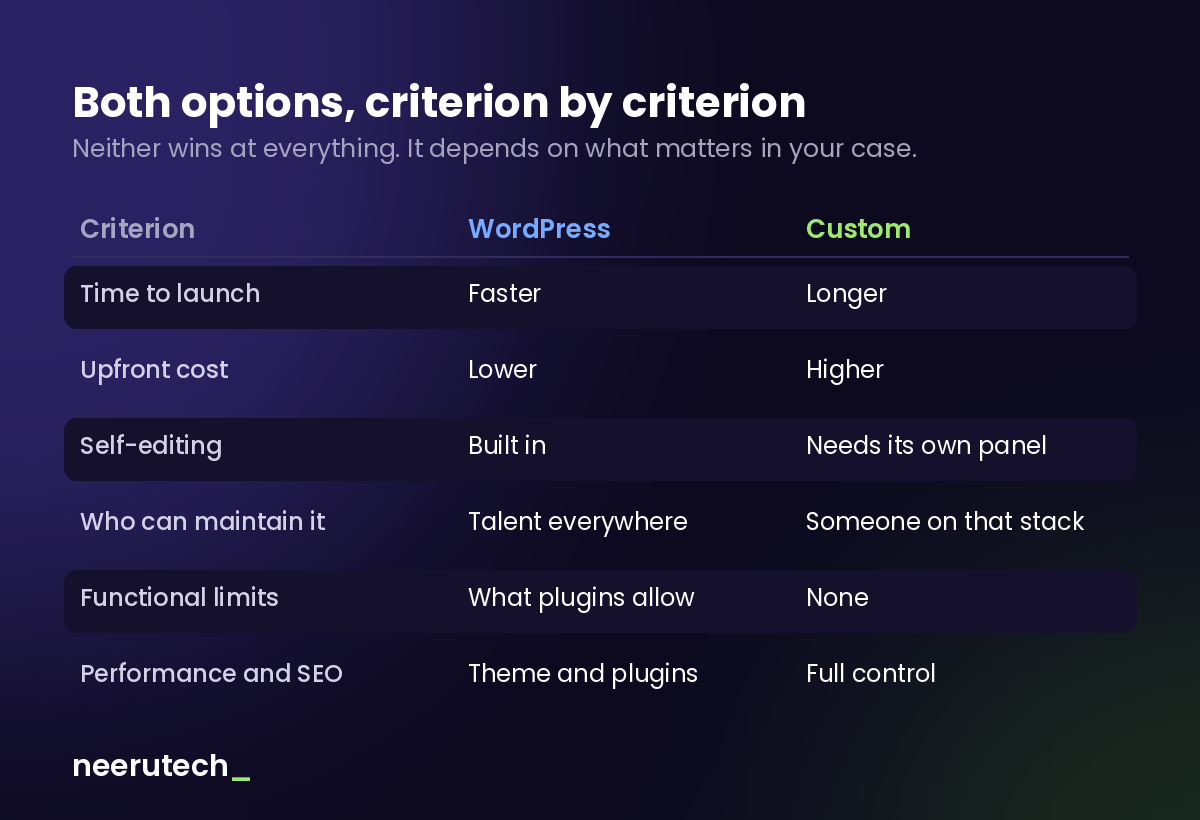
| Criterion | WordPress | Custom development |
|---|---|---|
| Time to go live | Weeks | Weeks or months, depending on scope |
| Upfront cost | Lower | Higher |
| Recurring cost | Hosting, licences, updates | Hosting, code maintenance |
| Content self-editing | Included out of the box | Requires building the panel |
| Finding someone to maintain it | Very easy | Requires that specific stack |
| Specific functionality | Whatever plugins allow | No limit |
| Performance | Depends on theme and plugins | Full control |
| Technical SEO | Good with good configuration | Optimisable in detail |
| Integration with your systems | Via plugin or extra development | Native by design |
| Compatibility risk | Updates can break things | Controlled by you |
Notice something: WordPress doesn't lose on most criteria. It loses on the ones that involve doing things outside the standard. If your site doesn't need to go outside the standard, the conclusion is fairly obvious.
The cost almost nobody calculates
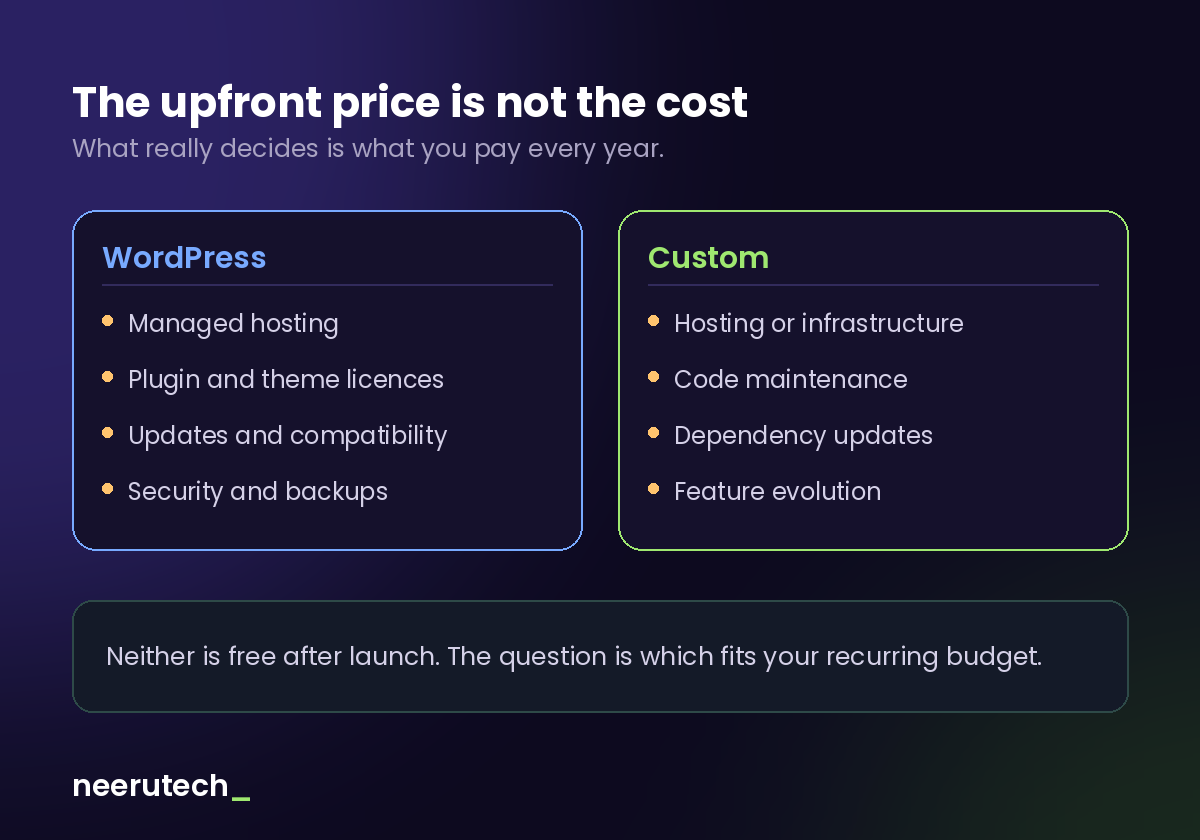
Comparing the price of the initial quote is the most expensive mistake in this decision. What determines real spending over three years is the total cost of ownership: what you pay every year to keep the site running.
On WordPress, the recurring side usually includes: hosting (ideally managed, not the cheapest), annual licences for premium plugins and the theme, the work of applying updates and checking nothing broke, plus security and backups. None of those items is huge on its own; added up, they're not trivial.
On a custom project, the recurring side usually includes: hosting or infrastructure, code maintenance, dependency updates, and whatever functional evolution you want to add.
Which is cheaper long term? It depends on the project, and be sceptical of anyone giving you a firm answer. On a simple site with few plugins, WordPress usually comes out cheaper in the aggregate too. On a project with many premium licences and intensive maintenance, the gap narrows considerably. And if the project needs functionality that WordPress only achieves by chaining plugins together, the hidden cost is the time spent keeping it all working.
What is universal: neither option is free after launch. If a quote doesn't mention maintenance, it isn't that it doesn't exist — it's that you'll be billed for it later. We wrote about that separately in why website maintenance isn't optional.
When to choose each one
Choose WordPress if...
- Your site is mainly content: service pages, blog, catalogue, contact.
- You want your team publishing and editing without depending on anyone from day one.
- The upfront budget is a real constraint.
- You need to be online soon.
- Being able to switch providers easily matters to you.
- Your online shop fits what WooCommerce does without contorting it — we cover that in why build an online shop with WooCommerce.
Choose custom development if...
- The site has to do something no plugin does: your own business logic, calculations, approval flows, client portals.
- You need real integration with your internal systems (ERP, CRM, invoicing) rather than a workaround.
- Performance has a direct impact on your revenue.
- You already have a WordPress full of plugins stepping on each other and every update is a lottery.
- You're building a product, not a website.
A sign you're in the wrong place
If you find yourself installing a fifth plugin to achieve something that feels simple in your head, or paying licences for tools you use at 10%, or being afraid to update: WordPress has probably become too small for what you're trying to do.
And the other way round: if you commissioned a custom build for a five-page informational site, you overpaid and made life harder than it needed to be.
The middle ground: headless WordPress and custom CMS
You don't always have to choose. There are two hybrids that solve plenty of cases:
Headless WordPress. You keep WordPress as the content manager — with the panel your team already knows — but the visible part of the site is built custom and consumes the data through an API. You get WordPress's self-editing and the performance of a bespoke build. In exchange, you have two systems to maintain instead of one, and that costs more.
Custom development with a CMS. The site is bespoke and the content is managed from an editor built around your case, either custom-made or an external CMS. This approach makes most sense when content changes often but the functionality is specific.
Neither is a cheap shortcut: hybrids tend to cost like custom development, not like WordPress. They make sense when self-editing matters as much as functionality, not when you're trying to save money.
How not to get this wrong
Before signing with any provider — us included — ask these questions. The answers tell you more than the quote does:
- What will I be able to edit without calling you? Have them show you, not tell you.
- What does this cost per year, all in? Hosting, licences, maintenance, updates.
- Who owns the code and where does it live? Repository, access, domain. All in your name.
- If I move to another provider tomorrow, what do they get? They should be able to take everything.
- Which paid plugins does it use, and what happens if I stop renewing them? (For WordPress.)
- Who else can maintain this? (For custom development.) If the answer is "only us", that's a bad sign.
- What happens when something breaks on a Friday afternoon? Get specific response times.
And one general red flag: if a provider recommends the same solution for everything, barely asking about your business, they're not choosing for you — they're selling what they know how to build.
Frequently asked questions
Is WordPress bad for SEO? No. A well-configured WordPress ranks perfectly well. SEO problems on WordPress almost always come from heavy themes, too many plugins or poor configuration, not from the platform itself. Custom development gives more technical control, but that doesn't make WordPress a bad choice.
Can I start with WordPress and move to custom later? Yes, and it's a reasonable path: you validate the business with low investment and build custom when the project justifies it. Bear in mind the migration has a cost, especially if you've accumulated a lot of content or functionality in plugins.
Is a custom site more secure than WordPress? It has a smaller automated attack surface because it isn't a predictable target, but "less exposed" isn't "secure". Either one, without updates and maintenance, ends up vulnerable. Security depends more on who maintains it than on the technology.
Which is faster to get live? WordPress, almost always. A good part of the work already exists in the form of themes and plugins. Custom development starts from zero by definition.
What about builders like Wix or Squarespace? They're a third category: even faster and cheaper to start, but with less control and less portability than WordPress, because the data and the site live inside that platform. For a minimal presence they can be enough; for a business that wants to grow, they run out of room sooner.
Conclusion
There's no better option: there's one that fits your project and one that doesn't. WordPress wins when the site is content and you want autonomy, speed and the freedom to change hands. Custom development wins when the site has to do something the standard can't.
Most small businesses are better served by a well-built, well-maintained WordPress than by a custom build they don't need. But when the business has processes of its own, that same option becomes a ceiling — and insisting with more plugins costs more than doing it properly.
What matters is that the decision is a deliberate one, and not the one that suited whoever wrote the quote.
Not sure which one is yours?
At Neerutech we do both, so we can tell you without an agenda. Take a look at our custom web development service or our WordPress with managed hosting, and if you're still unsure, tell us what your site needs to do and we'll honestly say which option fits.
Are you facing this decision right now? Share this article with whoever has to decide with you.
Related articles
 Destacado
How Much a Website Costs for a Small Business in Spain
Orientative price ranges for a small business website in Spain, what drives the budget, what's usually included and what it costs to maintain each month.
 Destacado
Woocommerce: Why Build Your Online Store with it
WooCommerce online store: Discover why it is the most flexible and powerful e-commerce solution to scale your business sales and integrations.
 Destacado
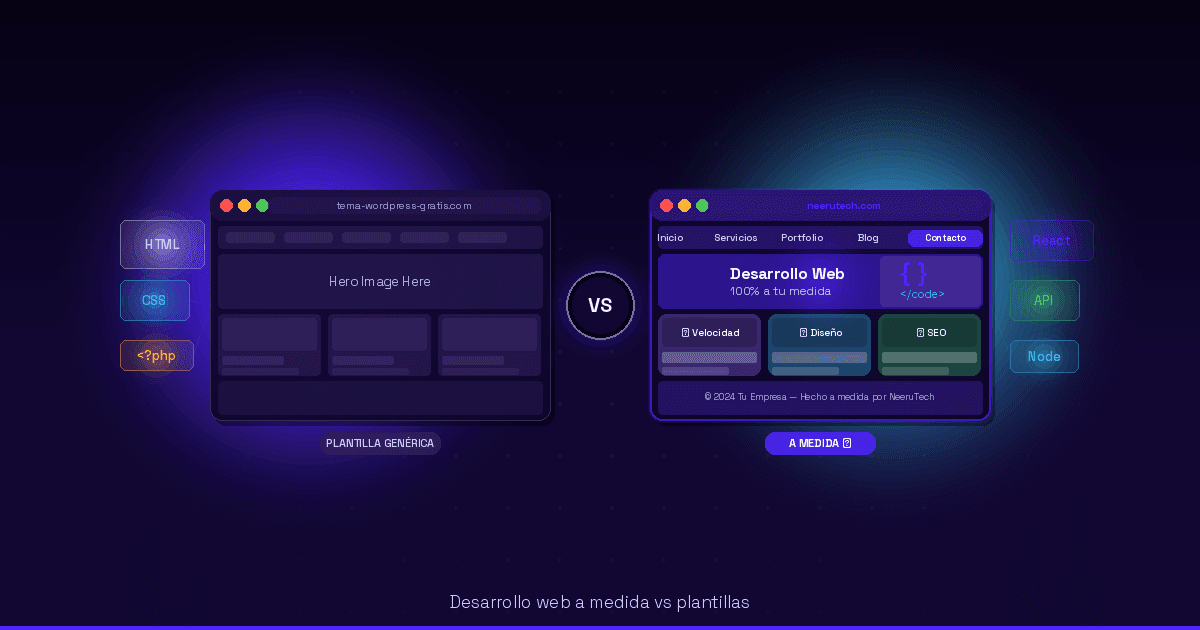
Custom website development: When is it worthwhile?
Custom web development: Discover when it pays to invest in a custom website for your business and how to boost your technical scalability.