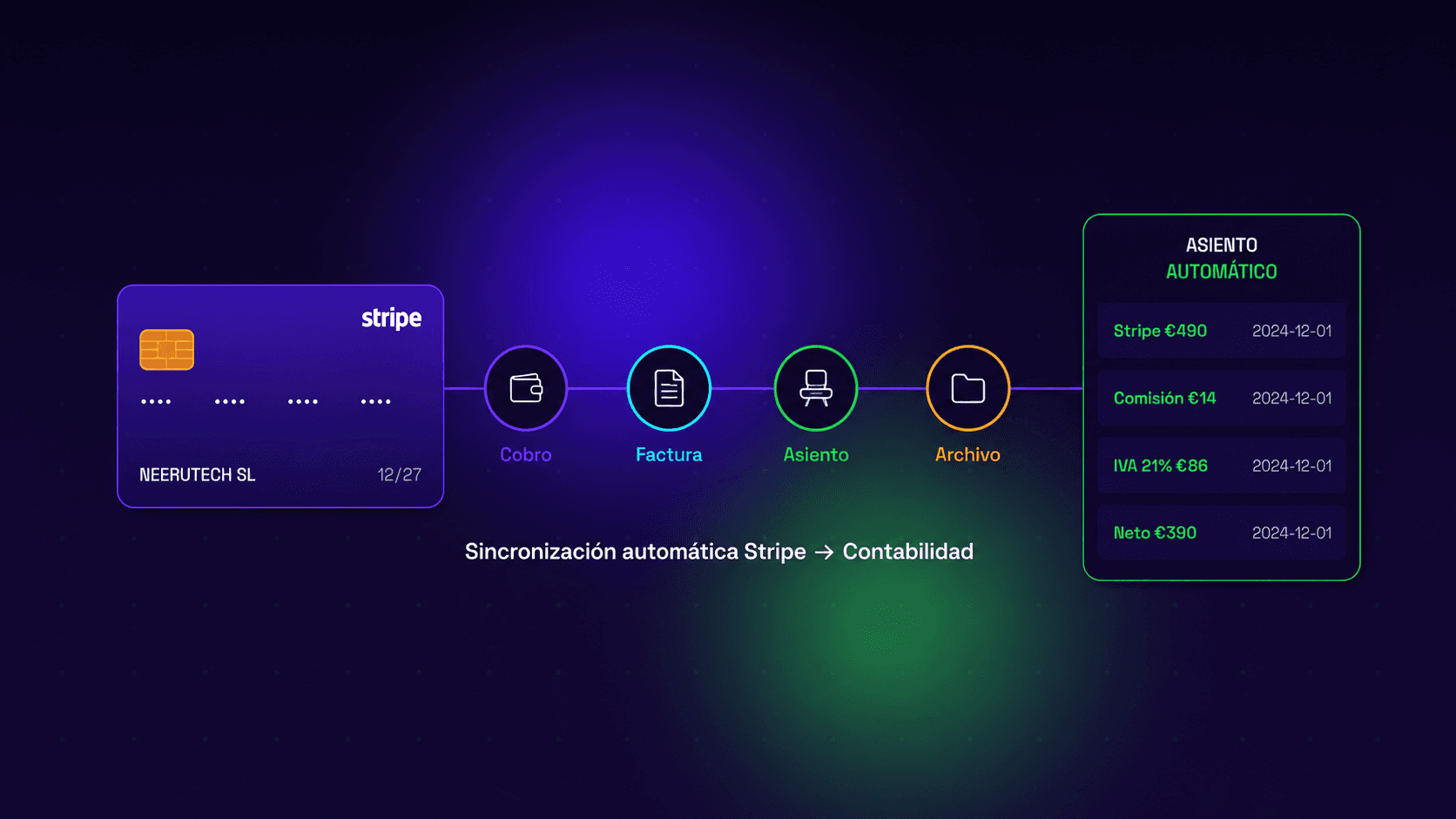
How to Automate Your Invoicing by Syncing Stripe with Your Accounting System
How to automate Stripe bank reconciliation and sync your payments with Odoo, QuickBooks or your accounting software — no manual CSV exports.
If you use Stripe as a payment gateway on your website or application, you know that revenue flows in smoothly, but you likely also know how exhausting it can be to reconcile those payments with your ledger. Exporting CSVs, manually forwarding metrics to your accountant, cross-checking data sets... In this article, we show you how to automate your invoicing by connecting Stripe directly with your accounting setup so everything runs on autopilot.
Table of Contents
- The Trouble with Manual Invoicing on Stripe
- What Is Bank Reconciliation and Why Does It Matter?
- Stripe and Electronic Invoicing: What You Need to Know
- How to Automate Your Invoicing with Stripe Step by Step
- Tools to Synchronize Stripe with Your Accounting Stack
- How to Integrate Stripe with WordPress
- Common Pitfalls When Connecting Stripe to Accounting
- Conclusion
The Trouble with Manual Invoicing on Stripe
Stripe is one of the premier payment gateways on the market (still deciding which one to use? Here's our Redsys vs Stripe comparison). Its technical integration is flawless, its fees are highly competitive, and its dashboard aggregates rich data. Yet, it harbors a distinct operational bottleneck that scaling businesses realize too late: exporting and matching transactional billing logs for compliance.
The unautomated workflow looks like this:
- A customer checks out on your site via Stripe.
- Stripe logs the charge within its platform ledger.
- You (or your internal staff) manually export monthly sheets via CSV.
- You forward those spreadsheets down to your accounting firm.
- Accountants manually parse and type those entries into their ledger.
- Invoices are manually built or revenue metrics are mapped out.
When transaction counts are minimal, this setup can be managed. But once you hit 50, 100, or 300 payments a month, it evolves into an operational nightmare prone to human error, duplicate reporting, and compliance friction.
The solution lies in automating your invoicing pipeline by syncing Stripe data structures cleanly into your core accounting backend.
What Is Bank Reconciliation and Why Does It Matter?
Bank reconciliation is the precise process of validating that your actual banking statements perfectly mirror your internal accounting ledgers. It is an indispensable practice to isolate missing transactions, balance errors, or dual charges.
When leveraging Stripe, performing clean bank reconciliation gets complex because:
- Stripe routes batch deposits to your bank account recursively, not instantly in real time.
- Stripe cleanly deducts processing percentages prior to transferring balances.
- Settled Stripe transactions often map to different fiscal periods than the actual bank deposit hits.
- Active chargeback disputes or direct refunds skew the internal ledgers even more.
Creating an automated architecture linking Stripe to your invoicing framework safeguards this data tracking issue from the ground up.
Stripe and Electronic Invoicing: What You Need to Know
Stripe natively features internal billing systems (Stripe Invoicing) capable of generating standard digital receipts straight out of the box. However, these programmatic logs often fall short of meeting local structural file criteria (such as specialized corporate XML layouts or FacturaE schemas) strictly mandated by regional tax departments for B2B transactions.
Furthermore, routing Stripe records into external tax ledgers requires an extra operational step—either unautomated formatting and manual data manipulation or anchoring Stripe API variables directly to a dedicated local billing app that naturally executes regional tax compliance formatting.
The standard layout involves deploying dedicated middleware connectors to bind Stripe data fields to local financial applications.
How to Automate Your Invoicing with Stripe Step by Step
Follow these actionable phases to successfully automate your invoicing workflow and tightly synchronize Stripe fields into your accounting framework:
Step 1: Map Out Your Integration Boundaries
Prior to deploying live endpoints, sketch out exactly how you want data variables to move:
- Do you need a payment capture webhook to instantly spawn a clean ledger invoice downstream?
- Should bank reconciliation tracking evaluate statements entirely unassisted?
- Is your priority to prevent duplicate Stripe entries inside your ledger?
- Does your accounting partner require an automated pipeline feed?
Step 2: Select Your Financial Middleware or Billing Infrastructure
Pick an invoicing framework that exposes native application dashboards or accessible, robust API channels to hook securely into Stripe. Elite platforms offer built-in ledger replication systems to match high-volume transactions cleanly.
Step 3: Configure your API and Webhook maps
Most out-of-the-box financial solutions provide basic setup toggles to integrate your Stripe API tokens securely within their administration dashboards.
However, if your business requires intricate logic patterns—such as parsing metadata parameters to assign distinct local cost centers, attaching custom localized tax parameters, or managing complex recurring SaaS billing structures—the integration is best built utilizing raw Stripe API methods tied to custom orchestration scripts.
Step 4: Map the End-to-End Flow
Once connected, your transactional data loop routes seamlessly without friction:
Customer checks out → Stripe processes card → Financial engine maps metadata → System auto-generates invoice → Invoice routes to customer inbox → Ledger entry creates automatically → Fiscal report streams to accountant
Step 5: Automate Transaction Reconciliation Settings
Configure your integration rules to isolate Stripe’s automatic fee deductions into distinct operational spend accounts. This allows your bank reconciliation loops to effortlessly hit perfect balances down to zero without manual configuration work.
Tools to Synchronize Stripe with Your Accounting Stack
| Tool Option | Stripe Integration Path | Best Engineered For |
|---|---|---|
| Integrated SMB Platforms | Native Dashboard Toggle | Growing businesses seeking a unified modular ERP suite |
| Enterprise Accounting Suites | Dedicated API / Add-on Modules | Established operations handling deep tax compliance matrices |
| Odoo | Official connector / API | Businesses running Odoo as their ERP |
| Zapier | Native Trigger Blocks | Low-complexity, standard automated web triggers |
| Make (Integromat) | Native Visual Modules | Visual multi-step integrations without heavy coding scripts |
| n8n | Full API Orchestration | Advanced, tailored, and scalable data pipeline automations |
| Custom Engineering | Raw Stripe API Architecture | Proprietary tech platforms demanding absolute flexibility |
At NeeruTech, we leverage n8n workflows (here's what n8n is and how to get started) to build customized, reliable automation bridges connecting Stripe with your financial ledger software, avoiding the rigid vendor lock-in of closed applications.
How to Integrate Stripe with WordPress
If your primary business storefront runs on WordPress paired with WooCommerce, executing a standard Stripe WordPress deployment is highly streamlined:
- Install the official WooCommerce Stripe Payment Gateway plugin asset.
- Generate and configure your secure public and secret Stripe API keys within the plugin dashboard.
- Toggle your localized checkout frameworks (Credit Cards, digital wallets, or regional networks).
- Initiate sandbox test runs to ensure successful payment tokenization.
- Push your transaction modules live into production.
However, to sync your invoicing workflows from Stripe events past basic e-commerce receipts—such as firing automated fiscal records, generating compliance logs, or performing programmatic bank reconciliations—you will need to bind WooCommerce to your invoicing engines via specialized plugin logic or bespoke API maps.
Common Pitfalls When Connecting Stripe to Accounting
Duplicate Invoicing Entries. Faulty webhook mapping can accidentally spark dual invoices for a single transaction. Preventing duplicate Stripe ledger records demands pinning creation routines explicitly to validated payment events, rather than temporary authorization tokens.
Unmapped Processing Fees. Stripe subtracts operational percentages prior to processing local banking payouts. If your integration fails to map these variables as separate spend items, your balance sheets will show constant discrepancies.
Overlooking Refund Syncing. Issuing a transaction refund within Stripe must dynamically trigger a corresponding credit note or debit entry inside your bookkeeping stack. Manual corrections down the line waste valuable engineering hours.
Mismanaged Disputed Claims. Whenever an account experiences a chargeback dispute, Stripe reserves those specific funds. These automated holds must reflect dynamically inside your operational reporting.
Conclusion
Automating your invoicing systems by syncing Stripe into your accounting framework is one of the most vital architectural choices a scaling company can implement once transaction volume climbs. It wipes out input errors, recovers valuable team hours, guarantees clean bank reconciliations, and simplifies communication with your accounting firm.
The technology required to wire these components together is mature and readily accessible. The question isn't whether your business should deploy automated transaction workflows, but exactly when you choose to build it.
At NeeruTech, we engineer tailored system integrations connecting Stripe, your electronic invoicing setup, and the software environments your teams utilize daily. No platform lock-ins, no rigid constraints.
Bridge Your Operational Tools and Scale Your Commerce Without Friction
Wasting internal hours shifting data between fragmented apps or manual CSV exports acts as an invisible bottleneck to corporate growth. The true power of transaction platforms like Stripe is unlocked when webhooks and payment feeds integrate cleanly with your ERP, CRM, and accounting backends via robust data pipelines and tailored application bridges.
Stop acting as manual middleware between your own tools. Explore our specialized services in systems integration and custom API connections and place your transactional ledger processing on absolute autopilot.
How many internal hours do your teams dedicate each month to manually organizing Stripe invoicing records? Share this guide with operators looking to reclaim that valuable time.
Related articles
 Destacado
How to Integrate Stripe with Odoo and Automate Reconciliation
How to connect Stripe with Odoo: the three approaches, how to book fees and refunds, and which one fits your volume.
 Destacado
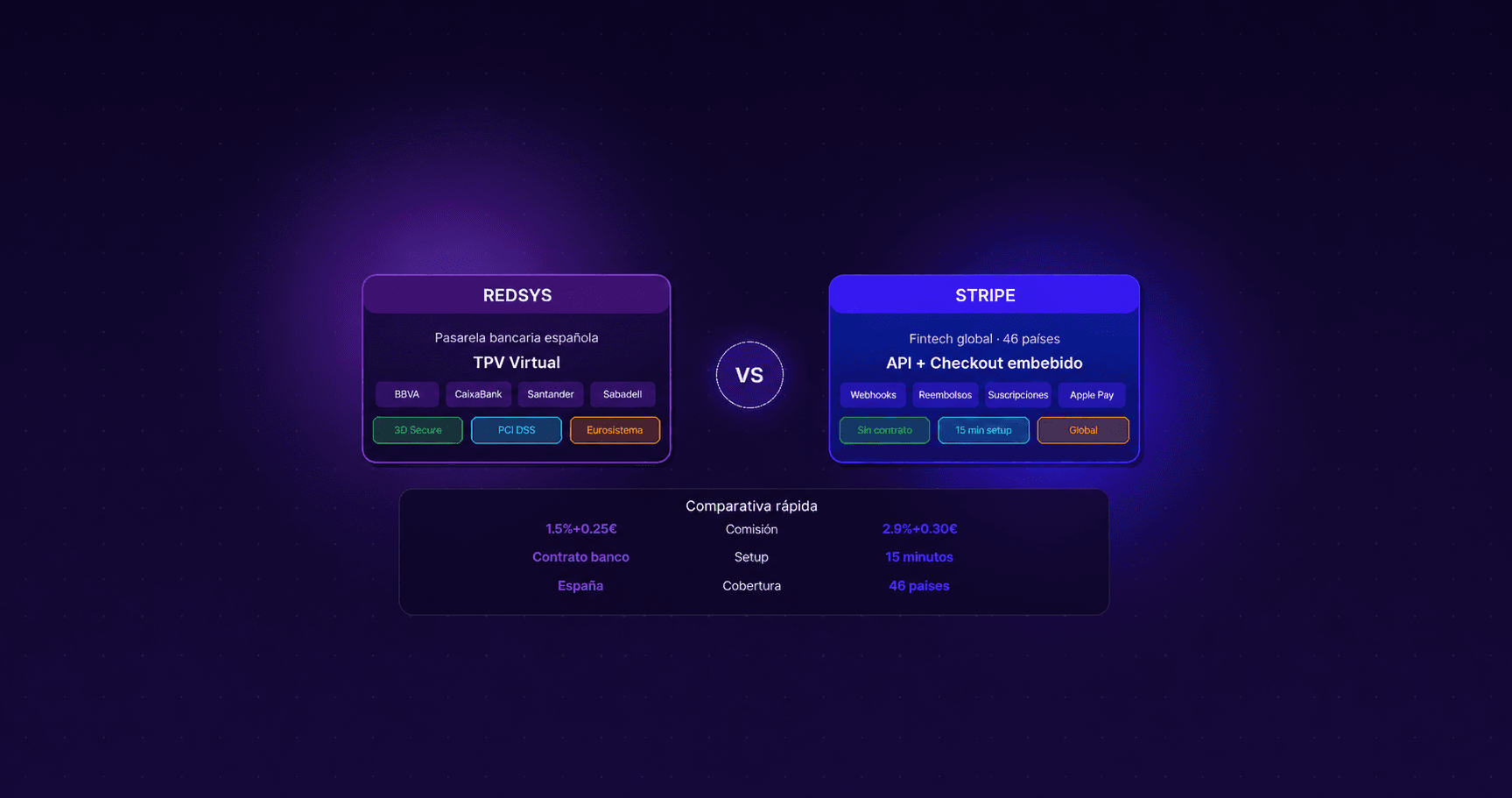
Redsys vs. Stripe: Which Payment Gateway to Choose and How to Integrate It Into Your Corporate Website Without Losing Sales
Payment gateway: Redsys vs Stripe comparison. Choose the best virtual POS for your corporate website and optimize your checkout to prevent lost sales.
 Destacado
How Much a Website Costs for a Small Business in Spain
Orientative price ranges for a small business website in Spain, what drives the budget, what's usually included and what it costs to maintain each month.