Connect Your AI to Your Business Data: What MCP Is and How to Build It
What MCP is, what you can ask AI about your own data, and the three security decisions to make before connecting anything.
You can ask an AI almost anything about the world, and it knows nothing about your business. It doesn't know last month's revenue, which customer has three unpaid invoices, or how much you've spent on suppliers this quarter. That information lives in your ERP, your CRM or your spreadsheet, and the AI can't see it.
MCP (Model Context Protocol) is what closes that gap: a standard that lets an AI assistant query your own systems. And the question that matters isn't whether it can be done — it can — but how to do it without leaving your business wide open to something you don't control.
This article covers what it is, what it's actually good for in a small business, and the decisions to make before connecting anything. I'm writing it after building one on top of an in-house finance application: this isn't theory.
Table of contents
- What changes when the AI can see your data
- What MCP is, in plain terms
- How the AI reaches your data
- The three decisions that come before the code
- What I learned building it
- Is it right for your business?
- Frequently asked questions
- Conclusion
What changes when the AI can see your data
Today, if you want to know something about your business, you open a screen, apply filters, export to a spreadsheet and cross-reference numbers. With an MCP server connected, you type the question.
Real examples of the kind of query this makes possible:
- "How much have I spent this month, and on what categories?"
- "Which bank movements haven't I reviewed yet?"
- "Of my open positions, which are close to the price I wanted to buy at?"
- "Summarise this month and compare it to the previous one."
The difference isn't the answer, it's the friction. The information already existed; what didn't exist was being able to ask for it in one sentence and chain follow-up questions without going back to the screen.
There's an interesting side effect too: when you can ask in plain language, you ask more. Things that never justified opening a report start getting checked daily.
What MCP is, in plain terms
MCP is an open standard that defines how an AI assistant connects to an external system to request data or ask it to do something. Instead of every application inventing its own way to integrate with every model, they all speak the same language.
In practice, you expose a small server with a catalogue of tools. Each tool is one specific, limited operation: "give me the accounts", "give me the monthly summary", "give me the pending movements". The AI reads that catalogue, decides which one it needs based on your question, calls it, and answers with the result.
The important part of that design: the AI doesn't have access to your database. It has access to the specific doors you chose to open, and nothing else. It's the same logic we apply when connecting systems through APIs, as when integrating a payment gateway with accounting: you expose what's needed, not everything.
How the AI reaches your data
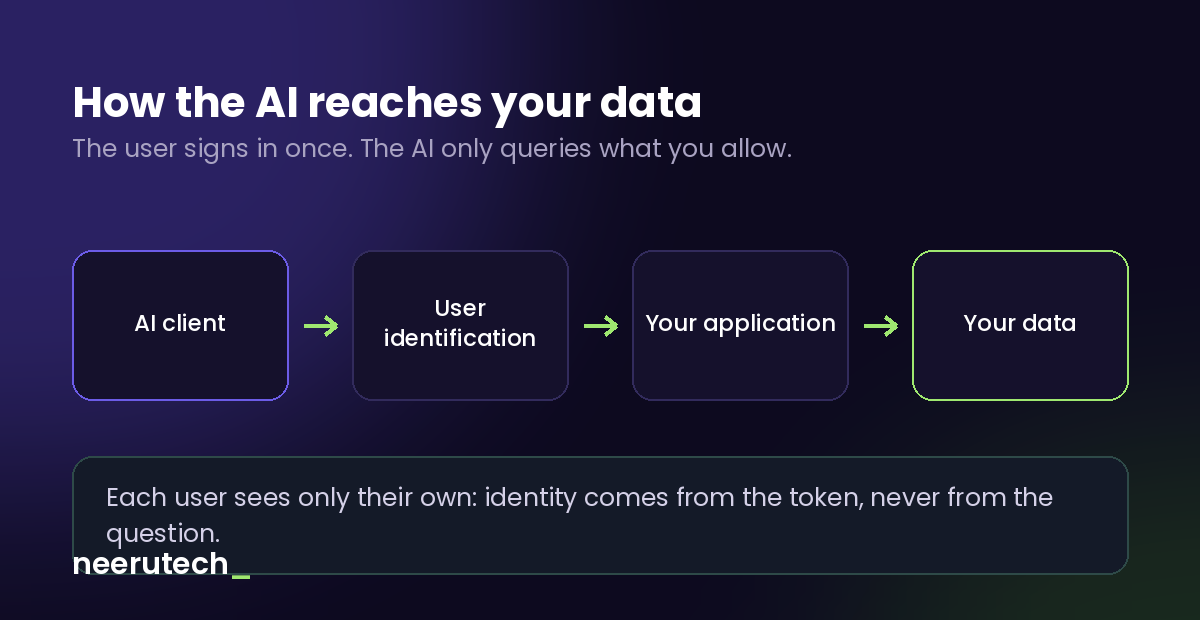
The path has four steps, and one of them does all the security work:
- The AI client (Claude, ChatGPT or another) tries to connect to your server.
- The user is identified. The server doesn't serve anonymous requests: the user signs in with the same identity system your application already uses, and the client receives a temporary credential.
- Your application resolves who they are. From that credential, and only from there, it determines which company, household or account the person asking belongs to.
- Their data is returned. Theirs, and nobody else's.
The detail that looks technical but is the difference between a secure system and a disaster: identity always comes from the credential, never from the question. If a tool accepted "give me the accounts of company X" as a parameter, anyone could request anyone's data. Keeping that identifier out of the parameters is what guarantees isolation.
The three decisions that come before the code
1. Start read-only
The temptation is to let the AI write too: create the invoice, confirm the movement, update the customer. It's possible, but it's a different conversation — one that involves explicit confirmations, an audit trail and limits — and it shouldn't be the first version.
In a first MVP, no tool creates, modifies or deletes anything. Querying is useful from day one and the risk is contained. Once reading is proven and there's confidence in the system, you talk about writes.
2. The AI sees only the fields you choose
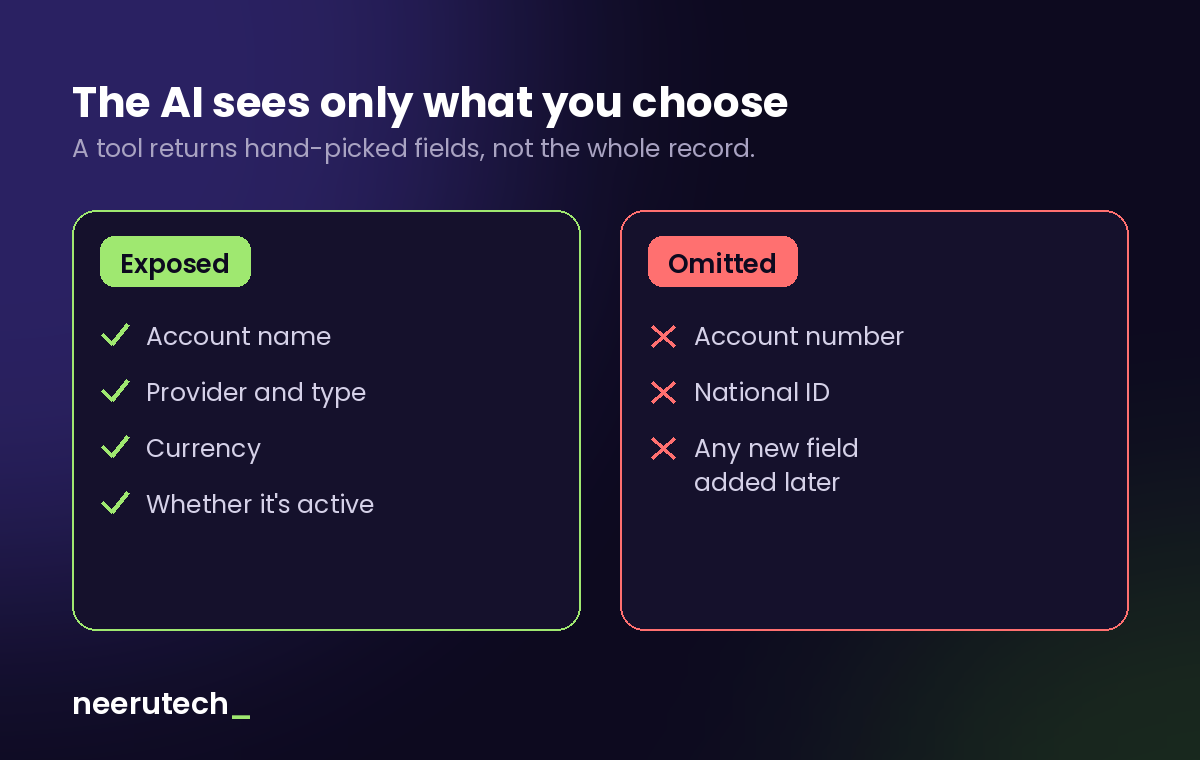
Here's a design decision that looks tedious and is worth every minute: each tool lists the fields it returns, one by one. It's more work than returning the whole record, but it has an important consequence: when someone adds a new field to that entity tomorrow — an account number, a national ID, an internal note — it doesn't leak on its own. It doesn't show up, because nobody put it there.
Returning the whole document is convenient today and a leak waiting to happen in six months.
3. Tool descriptions are part of the prompt
This is the one that surprised me most. The text you use to describe each tool isn't documentation for humans: the model reads it to decide when to use the tool and how to interpret what comes back. It's where you warn it about the traps in your domain.
A concrete example from the application I built: imported bank movements still awaiting review are not expenses yet. If the model adds them to the monthly total, the figure it gives you is wrong. The fix wasn't code: it was stating it explicitly in the tool's description, so the model knows before it answers.
Same with currencies. If you hold positions in euros and dollars, a single total mixing both is a made-up number. The tool returns totals separated by currency on purpose, and the description warns they shouldn't be added together.
What I learned building it
Half the time went into authentication, not the tools. Exposing the data was the easy part. What ate the hours was the identity flow: which credential is valid, how it's verified, what headers you need to return so the AI client can discover where to authenticate on its own. If you're estimating effort, that's the block people underestimate.
Calculations live in one place only. If the web calculates a margin one way and the MCP tool recalculates it independently, sooner or later they disagree and you lose trust in both. Business logic gets reused, not duplicated: the AI must see exactly the same numbers as the screen.
Validate with the dumbest tool first. I started testing with a graphical inspector and lost a good while unable to tell whether the failures were mine or its. The lesson: start with a manual curl request and a single trivial tool. Once that works, everything else is incremental.
An assistant that queries isn't an assistant that acts. This connects with what we do with n8n: classic automation runs processes, MCP answers questions. They complement each other rather than replace one another.
Is it right for your business?
With some judgement, and no hype:
It makes sense if your data already lives in a system with an API or its own database, if there are questions someone answers by hand every week by cross-referencing screens, and if those questions keep changing shape (they're not a fixed report, they're different curiosities each time).
It doesn't make sense if your information lives in scattered spreadsheets with no single source of truth — there the prior work is organising the data, not connecting an AI — or if what you need is one specific report you check once a month: that's a dashboard, not an assistant.
And an honest warning: connecting AI to your data doesn't fix bad data. If your information is incomplete or out of date, the AI will report it back to you with great confidence and no basis. Data quality is still your responsibility.
Frequently asked questions
Does the AI keep my data or use it for training? That depends on the provider of the AI client you use and their policy, not on the MCP server. What you do control is which data leaves: if a tool doesn't expose a field, that field never leaves your system. It's why listing fields by hand and omitting sensitive ones matters.
Can the AI delete or modify things by mistake? Not if the tools are read-only. That's precisely why you start that way. Writes come later, with explicit confirmation and a record of who did what.
Do I need to change my current application? No rewrite needed. The MCP server is added as a layer that reuses the services your application already has, without touching the existing web or API.
Does it only work with Claude? No. MCP is an open standard: the same server works with different compatible AI clients. That's exactly the advantage of a protocol over a custom integration per model.
How long does something like this take to build? A first read-only MVP with a handful of queries is a matter of days, not months. The part that takes longest is authentication and deciding what to expose; adding new tools afterwards is quick.
Conclusion
Connecting an AI to your business data is feasible today, with standard technology and without rewriting your systems. What decides whether it goes well isn't the AI part: it's three boring, fundamental decisions — read-only at first, identity resolved from the credential and never from the question, and fields chosen by hand.
Get those right and you have an assistant that answers questions about your business with real data. Get them wrong and you have an open door you didn't know you'd left open.
Want to ask your own data questions?
At NeeruTech we build MCP servers on top of the systems you already use — ERP, CRM, your own database — with the approach described in this article: read-only first, strict isolation between users, and minimal data exposure.
Take a look at our AI automation service and tell us what you'd like to be able to ask your business.
What's the first thing you'd ask your data if you could do it in one sentence? Share this article with anyone thinking about bringing AI into their business.
Related articles
 Destacado
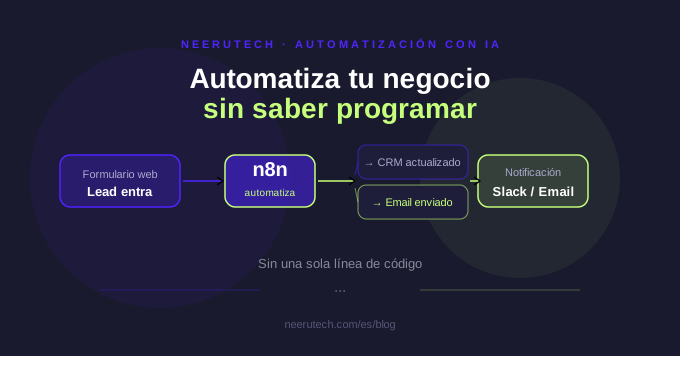
n8n for Beginners: Automate Your Business Without Writing Code
Learn what n8n is, how it works, and how you can automate repetitive business tasks without writing a single line of code. A practical guide for small businesses.
 Destacado
How to Choose a Invoicing System and Automate Your Accounting
Invoicing system: Guide to choosing the ideal software, complying with electronic invoice regulations, and automating your business accounting.
 Destacado
How Much Money Does Your Business Lose Every Minute Your Website Is Down?
Website maintenance services: Discover the real cost of server downtime and why proactive technical support protects your business revenue.